
Personal Platform
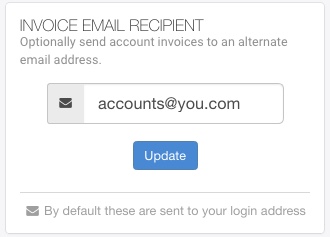
Personal platform users are able to modify where invoices are sent using their Dashboard. Simply:
- Log into your Dashboard
- Click on Account Details within the left menu
- Add your email address of choice within the “INVOICE EMAIL RECIPIENT” box on the right hand side
Only invoice-related emails will be sent to the email address provided here. You’ll continue to receive voicemails and log in to the Dashboard with your usual email address. If you’d like to update the email address used for these features please get in touch.
Business Platform
Users of the business platform can provide multiple destinations for billing-related communications. To do so:
- Log into your uConnected Dashboard
- Click Users & Settings in the left sidebar
- Locate Email Alert Recipients on the right side, then click Set Delivery Emails.